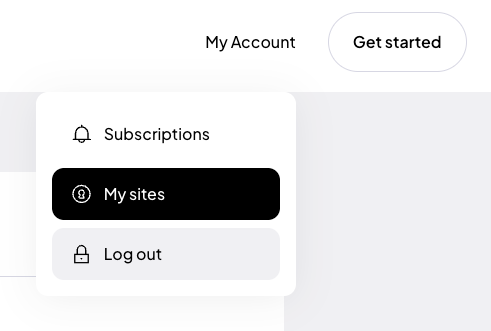
To allow the widget to connect to the service, you need to generate a unique API token.
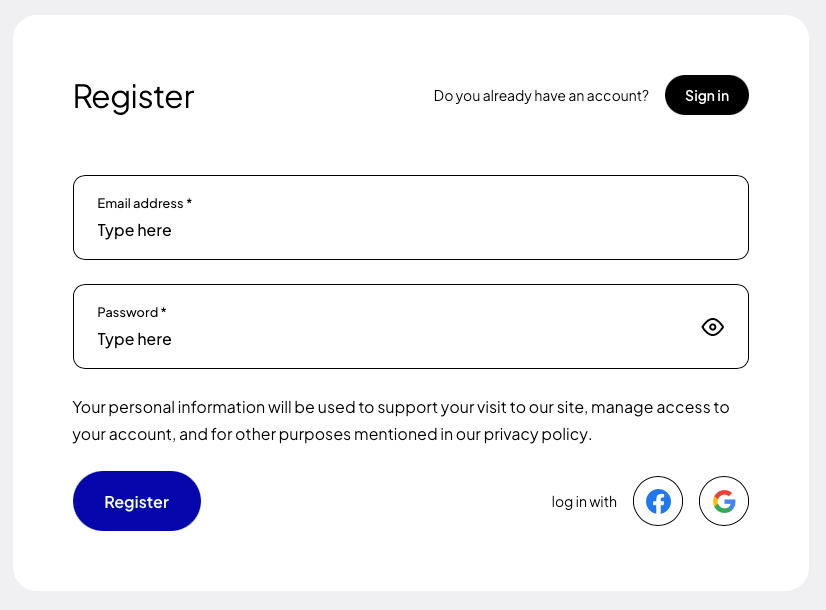
If you are installing the plugin for the first time, register (opens in a new tab) using Google, Facebook, GitHub or your own e-mail address and password.
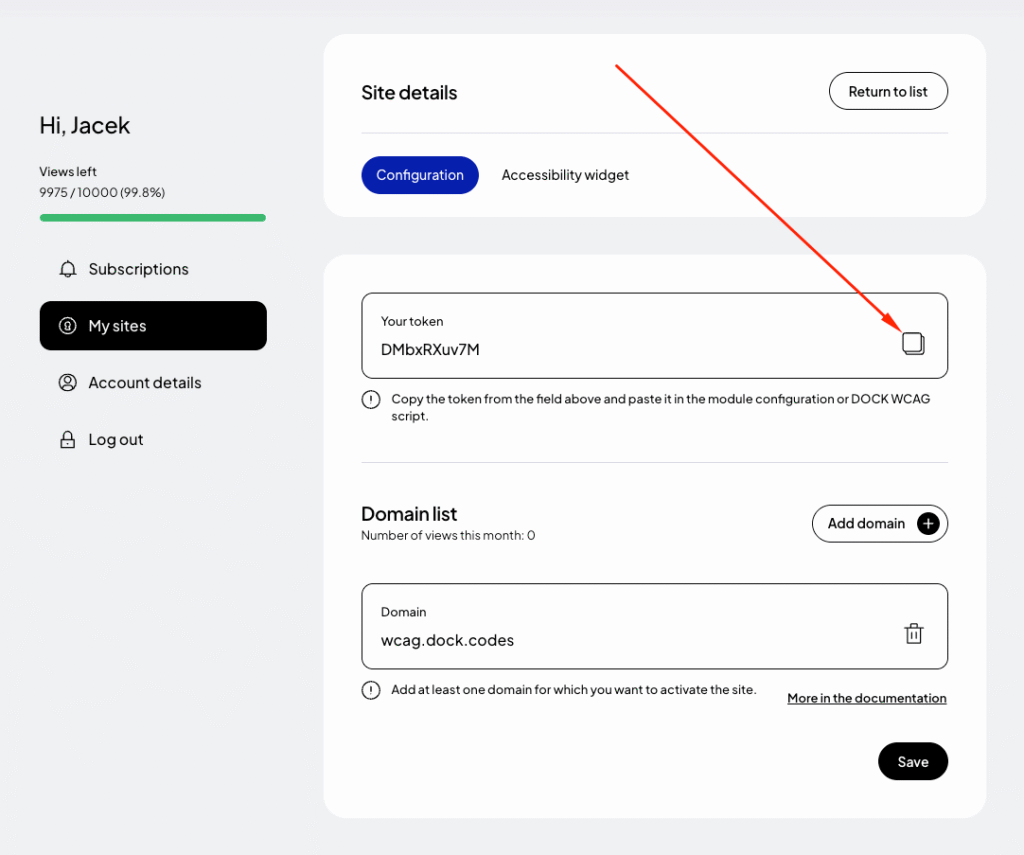
In the form for adding a new site, enter the addresses of the websites where you want to use the token. If your site runs on a domain such as example.com and also www.example.com, add both addresses. Read more about this in the documentation (opens in a new tab).
Finally, click “Save” and copy the generated token from the “Your token” field.
Step 3: Token configuration
After generating your token, add it to your Laravel environment configuration file.
Open the .env file located in the root directory of your application.
Add the following entry:
ASSIST_FOR_WCAG_TOKEN="[Paste your token here]"
Save the file.
Step 4: Adding the widget to your application
The package provides a Blade directive that allows you to easily embed the widget anywhere in your application.
Open your main Blade layout file, for example:
resources/views/layouts/app.blade.php
Insert the @assistForWCAG directive before the closing </body> tag:
<body>
@assistForWCAG
</body>
Step 5: Clear configuration cache
After making changes, it is recommended to clear Laravel’s cache:
php artisan config:clear
php artisan cache:clear
Step 6: Preview your website
After completing the setup, open your website and verify that the accessibility widget is loaded correctly.
Test accessibility features such as:
text resizing,
contrast adjustments,
text-to-speech,
keyboard navigation,
WCAG accessibility profiles.
Alternative: Manual installation (without the package)
If you cannot use the Composer package, you can manually integrate the widget into your Laravel application.
Get your token:Follow the steps described in “Step 2” above.
Copy the script code:
<script>
(function (d, s, t) {
var f = d.getElementsByTagName(s)[0],
j = d.createElement(s);
j.async = true;
j.src = '//dockaccess.org/accessibility/' + t + '/start.js';
f.parentNode.insertBefore(j, f);
})(document, 'script', '_TOKEN_');
</script>
Add the script to your Blade layout:Open your main layout file, for example:
resources/views/layouts/app.blade.php
Then paste the script before the closing </body> tag.
Replace the token placeholder:Replace _TOKEN_ with your actual token.
Clear cache:
php artisan config:clear
php artisan cache:clear
Once completed, the WCAG accessibility widget will be active in your Laravel application.
 Download for Google Chrome
  Download for Edge
  Download for Firefox