Download for Google Chrome
  Download for Edge
  Download for Firefox
 How to install the accessibility widget in Shopify

Installing the WCAG Widget in Shopify
Step 1: Register your website and generate a token
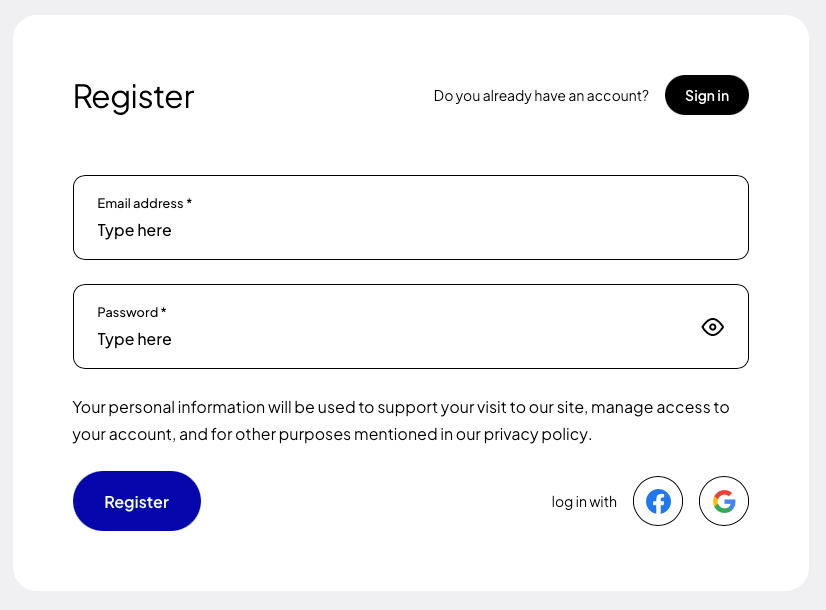
If you are installing the plugin for the first time, register (opens in a new tab) using Google, Facebook, GitHub or your own e-mail address and password.
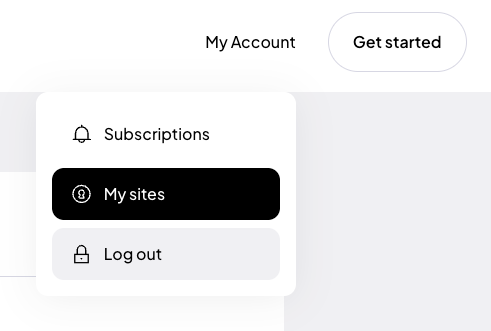
After creating an account, go to the “My sites” tab and click the “Add site” (opens in a new tab) button.
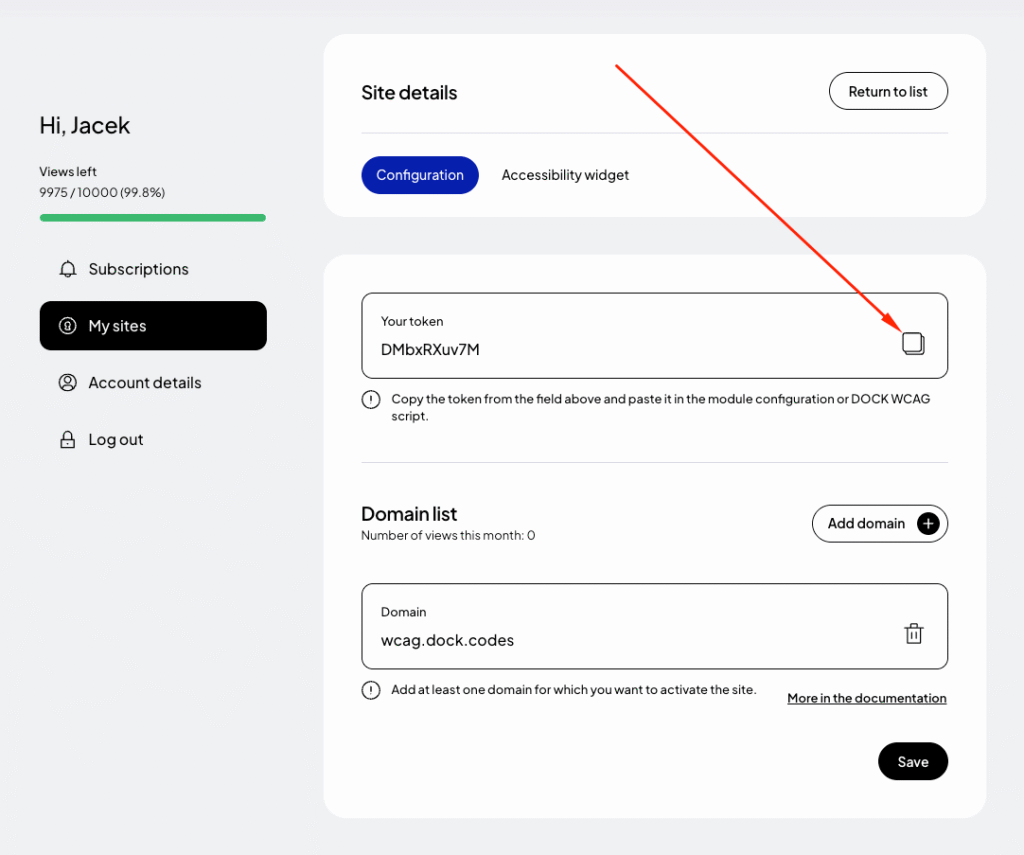
In the form for adding a new site, enter the addresses of the websites where you want to use the token. If your site runs on a domain such as example.com and also www.example.com, add both addresses. Read more about this in the documentation (opens in a new tab).
Finally, click “Save” and copy the generated token from the “Your token” field.
Step 2: Open the Shopify theme editor
Log in to your Shopify admin panel, then navigate to Sales channels → Online Store For your active theme, click the button Edit theme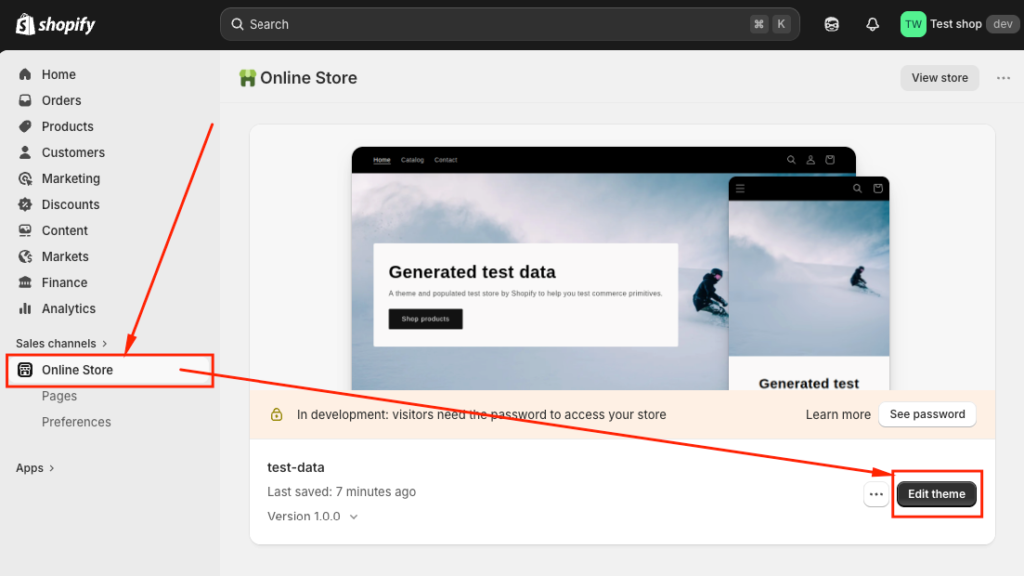
Step 3: Add a Custom Liquid block
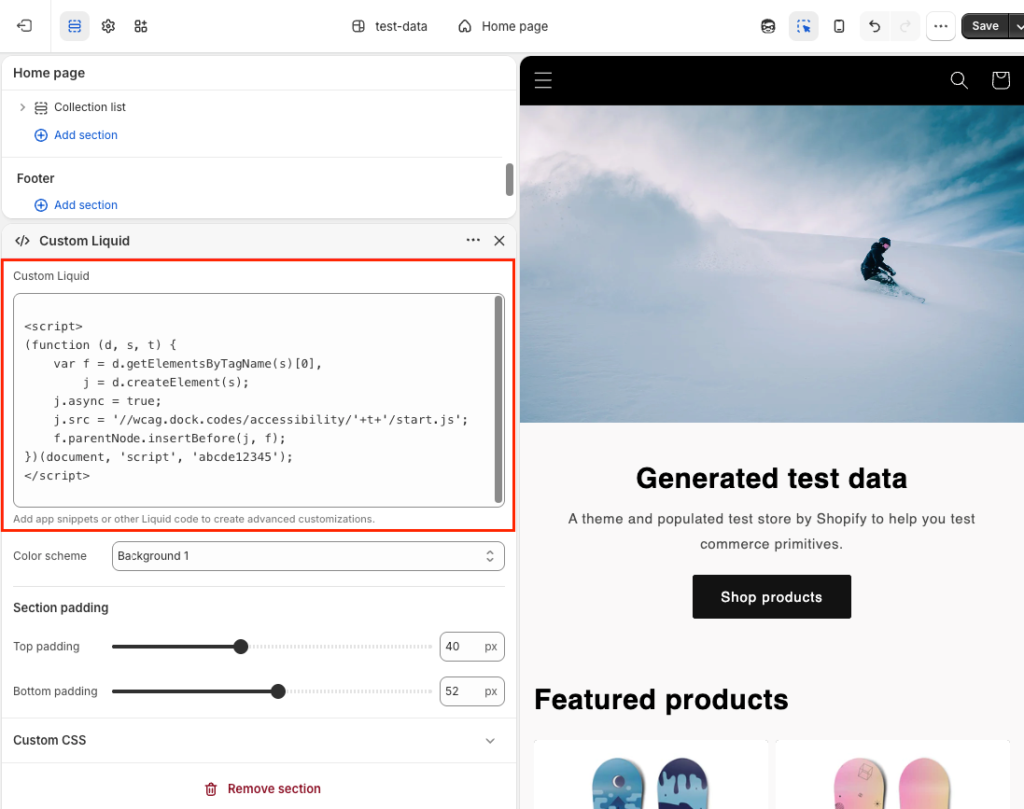
In the theme editor, click Add section, then search for and add the block "Custom Liquid"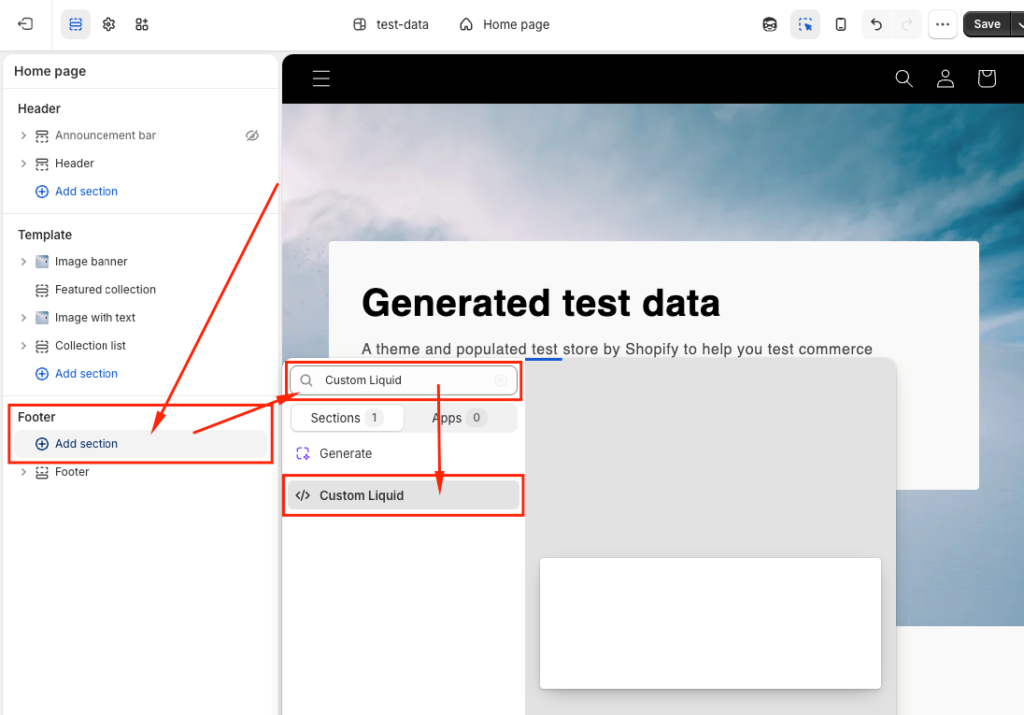
Step 4: Paste the widget code
Paste the following code into the Custom Liquid field:Replace _TOKEN_ with your unique token generated in the previous step.