Do Accessibility Widgets and Overlays Really Make a Website WCAG Compliant?
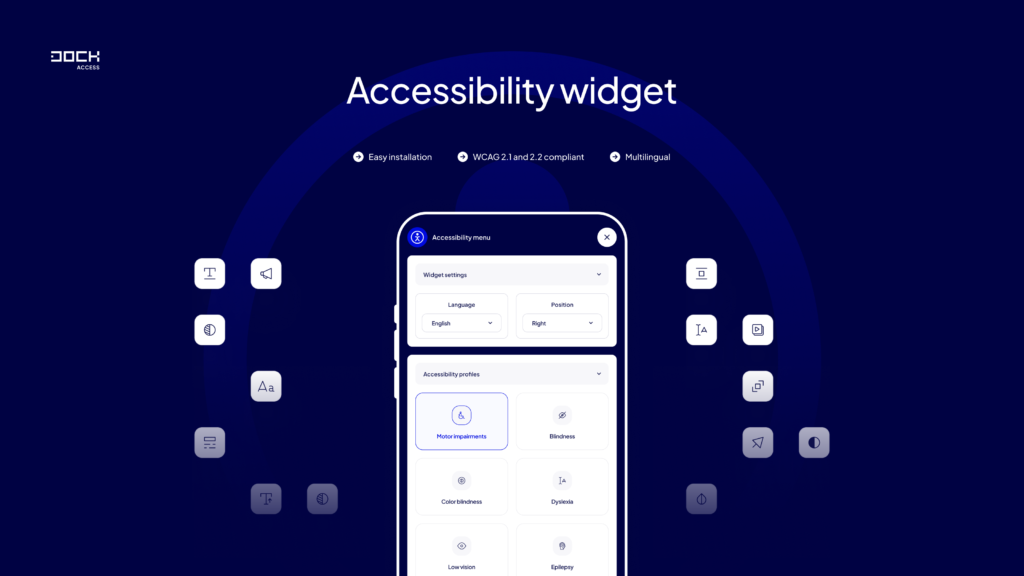
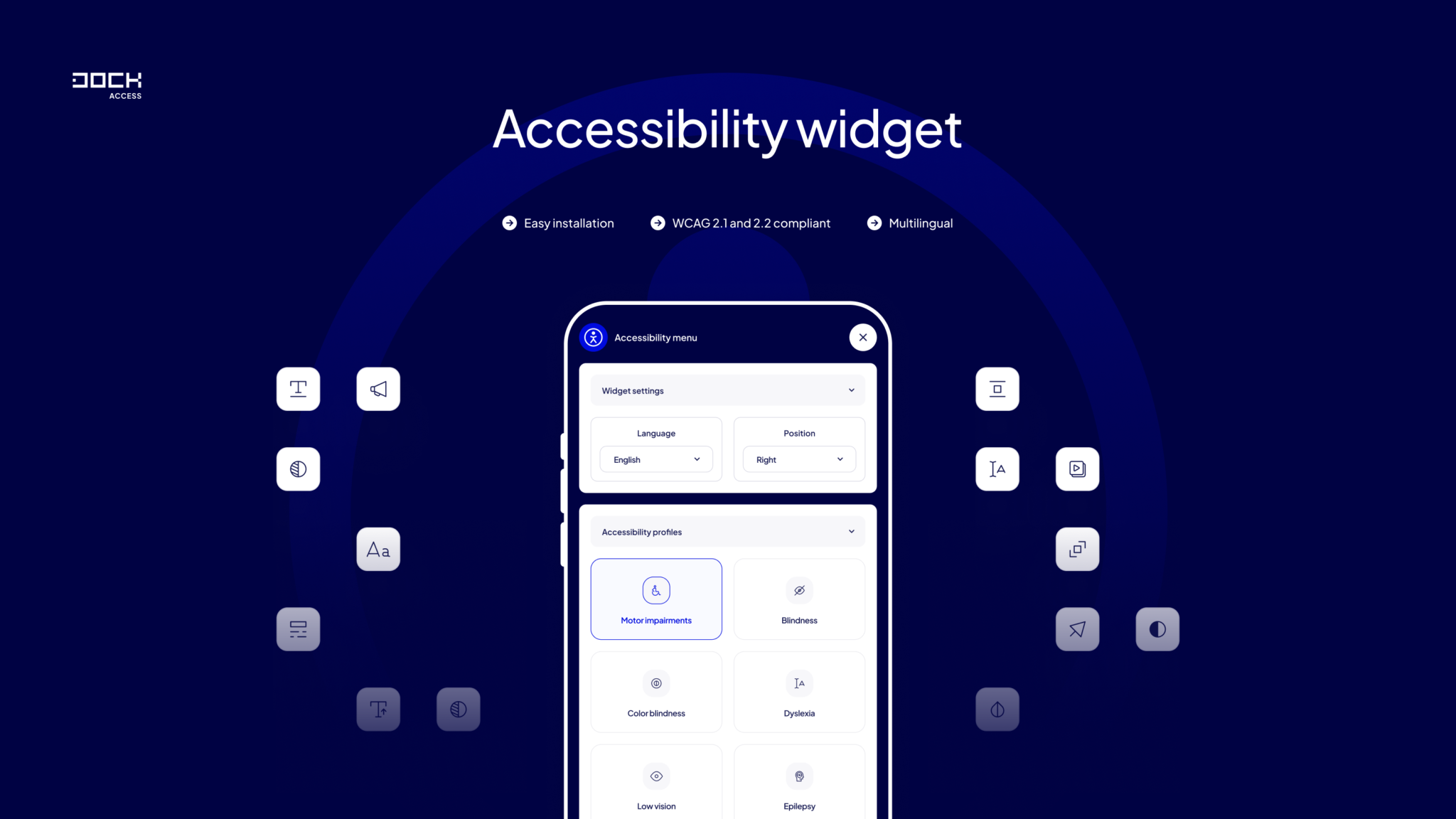
Accessibility widgets have become common on websites.
They usually appear as a small accessibility icon in the corner of the screen. After clicking it, users may be able to:
Some products go considerably further and use JavaScript or AI-based systems to automatically modify the website in an attempt to resolve accessibility problems.
These products are often called accessibility widgets, accessibility overlays or automated accessibility solutions.
They can provide useful features.
But there is a fundamental distinction website owners need to understand:
an accessibility widget is not the same thing as an accessible website.
And installing one does not automatically mean that a website conforms to WCAG or complies with applicable accessibility law.
What is an accessibility overlay?
An accessibility overlay is generally a layer of JavaScript running on top of an existing website.
Instead of developers changing the underlying templates and application code, the overlay attempts to modify parts of the page dynamically in the visitor’s browser.
For example, an overlay might attempt to:
This approach is attractive because installation can sometimes require little more than adding a script.
The underlying website, however, remains largely unchanged.
That creates an important technical difference between:
fixing an accessibility problem at source and attempting to compensate for it after the page has loaded.
Can an accessibility widget make a website WCAG compliant automatically?
There is no reliable basis for assuming that installing a widget automatically creates WCAG conformance.
W3C explains that accessibility evaluation tools cannot automatically evaluate every aspect of web accessibility. Human judgment is required.
The U.S. Department of Justice makes essentially the same point.
Its web accessibility guidance states that automated accessibility checkers and overlays can be useful tools, but they need to be used carefully. A clean automated report does not necessarily mean that everything is accessible. DOJ recommends pairing automated evaluation with manual checking.
This matters because many WCAG requirements depend on meaning and context, not simply the presence or absence of an HTML attribute.
A real example: alternative text
Consider this image:
<img src="black-running-shoes.jpg">
An automated system can easily detect that the alt attribute is missing.
It could automatically change the markup to something like:
<img src="black-running-shoes.jpg" alt="shoes">
But has the accessibility problem actually been solved?
Not necessarily.
Imagine this is an e-commerce product page selling:
Men’s Trail Running Shoes X200 – Black
In that context, "shoes" may not communicate enough information.
Alternatively, imagine the same image is purely decorative and the product name already appears immediately next to it. Repeating a long product description might make the screen-reader experience worse.
Determining the correct alternative depends on the purpose of the image in context.
That is not simply a pattern-recognition problem.
Forms are even more complicated
Consider a checkout containing:
An automated system may detect whether <label> elements exist.
But a complete accessibility evaluation also needs to determine:
Many of these questions require a person to use the interface, not merely inspect its source code.
What happened with accessiBe and the FTC?
This is one of the most important recent developments in the accessibility-overlay market.
In 2025, the U.S. Federal Trade Commission took action against accessiBe over claims relating to its AI-powered accessibility product.
According to the FTC, accessiBe had claimed that its accessWidget could make any website compliant with WCAG.
The FTC alleged that the product did not make all customer websites WCAG-compliant and that those claims were false, misleading or unsubstantiated.
In April 2025, the FTC approved a final order requiring accessiBe to pay $1 million.
The order also restricts the company from claiming that its automated products can make any website WCAG-compliant or ensure continued WCAG compliance unless it has evidence supporting those claims.
This case does not mean that every accessibility widget is illegal or useless.
It demonstrates something much more specific and important:
claims that an automated product can guarantee WCAG compliance need evidence.
Do accessibility widgets protect websites from ADA lawsuits?
Website owners should not assume that installing an accessibility widget provides protection from litigation.
Data from accessibility lawsuit trackers shows that websites using widgets continue to be sued.
EcomBack reported 3,948 ADA website accessibility lawsuits during 2025. Of those, 983 – 24.9% – involved websites where an accessibility widget was present, according to its dataset.
Another organization, Accessibility.com, uses a different lawsuit-counting methodology and reported that 37% of the websites in its 2025 lawsuit dataset had an overlay installed.
Those percentages should not be interpreted as proof that widgets cause lawsuits.
They demonstrate something narrower:
the presence of a widget clearly does not guarantee that a website will avoid accessibility litigation.
Why can’t automated overlays fix every accessibility issue?
WCAG includes many requirements that involve context, usability and interaction.
Consider the following examples.
Incorrect heading structure
Automation can identify <h1>, <h2> and <h3> elements.
It cannot always determine whether the hierarchy accurately represents the meaning of the page.
Alternative text
Automation can detect a missing alt.
It cannot always determine what the image means in its particular context.
Link purpose
A scanner can identify links with generic text.
Understanding whether the link’s purpose is sufficiently clear can require contextual evaluation.
Keyboard interaction
Software can test some keyboard-related properties.
But determining whether a complex component behaves logically throughout a real workflow often requires manual interaction.
Focus order
DOM order can be inspected automatically.
Whether focus progression actually makes sense to a user can require human judgment.
Screen-reader experience
Code can technically contain ARIA attributes while still producing a confusing or unusable experience.
Error messages
A tool can detect the presence of an error container.
A human evaluator may still need to determine whether the message actually tells the user:
what went wrong, where it happened and how to correct it.
What can accessibility widgets be useful for?
This does not mean accessibility widgets have no value.
User-facing controls can provide useful personalization features.
For example, some users may appreciate controls that allow them to:
Those features can improve usability for some visitors.
The problem begins when a supplementary usability feature is presented as a replacement for accessible design and development.
The correct distinction is:
Accessibility widget = potentially useful additional functionality
Accessible website = accessible design + semantic code + accessible content + testing + remediation
These are not interchangeable concepts.
Overlay vs. native accessibility
Suppose a website contains a button implemented like this:
<div class="checkout-button" onclick="checkout()">
    Buy now
</div>
A script may attempt to add attributes and keyboard handling after the page loads.
But developers could instead correct the underlying implementation:
<button type="button" class="checkout-button">
    Buy now
</button>
The second approach uses the native HTML element designed for that purpose.
Browsers and assistive technologies already understand how a <button> should behave.
This illustrates a fundamental principle of accessible development:
fix accessibility problems as close to the source as possible.
Automated testing is still extremely valuable
The limitations of automation should not be confused with automation being ineffective.
Automated accessibility testing is extremely useful.
A scanner can process large numbers of pages and quickly detect recurring problems such as:
This makes automated monitoring particularly useful for large websites.
Imagine an e-commerce website with 20,000 product pages.
Performing the same manual check on every page after every deployment would be impractical.
Automated monitoring can identify patterns and regressions across thousands of URLs, while manual audits can concentrate on representative templates, complex components and important user journeys.
The approaches complement one another.
Why manual accessibility testing is necessary
W3C is explicit that accessibility tools cannot determine accessibility on their own.
Manual testing allows an auditor to evaluate the website from the perspective of actual interaction.
For example:
Can I complete checkout using only a keyboard?
Does a screen reader correctly announce the navigation menu?
Can I close this modal without a mouse?
After submitting an invalid form, do I know where the error occurred?
Does the focus remain somewhere logical after dynamic content appears?
Can I understand the page structure from its headings?
Those are questions about the actual user experience.
What is the best approach to website accessibility?
For most websites, accessibility should be approached as a process.
Step 1: automated scan
Scan representative pages – and preferably the broader website – to identify machine-detectable issues.
Step 2: manual WCAG audit
Evaluate requirements that need human judgment.
Step 3: keyboard testing
Complete important tasks without using a mouse.
Step 4: assistive-technology testing
Test important workflows using appropriate screen readers and other assistive technologies.
Step 5: remediation
Correct problems in:
Whenever possible, fix the actual source of the accessibility barrier.
Step 6: retesting
Verify that the remediation actually solves the problem.
Step 7: continuous monitoring
Accessibility can regress.
A new plugin, marketing banner, checkout component, CMS update or JavaScript library can introduce new barriers.
Automated monitoring can help identify those regressions between full manual audits.
Can AI eventually automate accessibility completely?
AI can make accessibility testing significantly more powerful.
Computer vision can help analyze interfaces. Language models can evaluate content. Automated agents can navigate websites. Machine-learning systems can detect increasingly complex accessibility patterns.
But accessibility is ultimately about whether people can successfully perceive, understand and operate an interface.
Many accessibility questions therefore require contextual evaluation.
For example:
Does this alternative text communicate the purpose of the image?
Is this error message understandable?
Is this focus order logical?
Can a screen-reader user understand what happened after clicking this button?
These questions are considerably more complex than detecting whether a specific HTML attribute exists.
AI and automation can therefore reduce manual work substantially, but they should be treated as tools supporting accessibility evaluation, not as proof of accessibility by themselves.
Accessibility widget vs. automated scanner vs. manual audit
| Solution | Main purpose | Can find accessibility issues? | Can prove full WCAG conformance alone? |
|---|---|---|---|
| Accessibility widget | User personalization / dynamic modifications | Sometimes | No |
| Automated scanner | Detect technical accessibility problems | Yes | No |
| Manual WCAG audit | Evaluate accessibility with human judgment | Yes | Much broader evaluation |
| Assistive-technology testing | Test real interaction | Yes | Essential part of thorough evaluation |
| Continuous monitoring | Detect regressions over time | Yes | No |
There is no contradiction between automation and manual accessibility testing.
The strongest accessibility programs use both.
FAQ
Does an accessibility widget make my website ADA compliant?
Installing a widget by itself should not be treated as proof of ADA compliance.
DOJ specifically warns that automated checkers and overlays must be used carefully and recommends combining automated and manual evaluation.
Does an accessibility widget make my website WCAG compliant?
Not automatically.
WCAG conformance concerns the website and its content as a whole. Many requirements cannot be fully evaluated or remediated automatically.
Are accessibility overlays bad?
Not necessarily.
Some provide useful functionality to users.
The important issue is what the product actually does and what claims are made about it.
A personalization toolbar can be useful without being a substitute for accessible source code.
Can automated accessibility testing replace a manual audit?
No.
W3C states that automated tools cannot check all accessibility aspects and that human judgment is required.
What should I use instead of relying only on an overlay?
Use a combination of:
automated scanning + manual WCAG testing + assistive-technology testing + source-code remediation + continuous monitoring.
That provides much stronger coverage than any single approach.
Related posts
- Understanding the Americans with Disabilities Act (ADA)
- Automated vs. Manual Accessibility Audits: Which One to Choose for Your Website?
- Color contrast checker
- How to improve website accessibility?
- What is changing as of June 28, 2025?
Still looking for answers?
Ask our experts using online chat